Features
Niyet has sixteen sections. Below are all of them, with what they do and how they work. Where something has a limit, that is written down too — overstating costs the person using it.
Time for worship
The sections that shape the day's rhythm of worship. All of them use your location and are calculated offline.
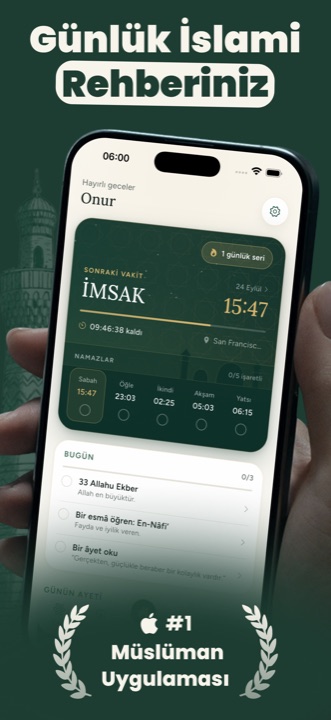
Prayer times
Times are calculated on the device from your location rather than fetched from a server, so they stay correct without a network. A countdown to the next prayer and the day's disliked (karaha) periods are shown.
Calculation method
You can choose between the angle values used by different institutions. In Türkiye the Diyanet method is applied.
Prayer notifications
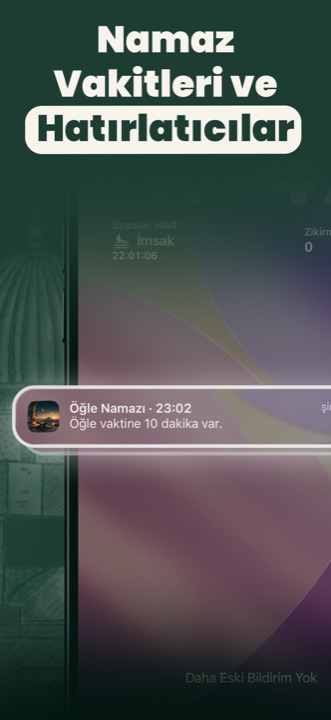
You can enable a notification for each prayer separately. They are scheduled on the device and re-established automatically after a restart.
Qibla
Qibla direction from the compass and your location. The dial is the largest element on screen; distance, accuracy and the calibration warning sit below it.
Nearby mosques
Mosques around you on a map and in a list. The data comes from OpenStreetMap.
Hijri calendar
A Hijri month grid, Gregorian equivalents and upcoming religious days.
The Diyanet method is applied only in Türkiye. When the country code differs it does not take effect even if selected — using Diyanet's angles in another country's geography produces a result that looks right and is wrong.
The Qur'an
The full mushaf ships with the app. Opening it needs no network.
One hundred and fourteen surahs
Arabic text, transliteration and the mushaf page index. Surahs load one at a time, so even long ones open instantly.
Nine Turkish translations
Changing translation is a setting; it requires no download and no waiting. They are all already on the device.
Recitation from eight reciters
Audio streams and is written to the device while playing, so a second listen never goes online. The recordings do not ship with the app — a single reciter's complete Qur'an is over a gigabyte.
Continue where you left off
The app returns to the exact verse you left, not the top of that page. Which verse is currently on screen is recorded accordingly.
Khatm plan
You pick a completion date and the daily reading target follows from it. Your progress and streak are tracked.
Marking and sharing
You mark verses with colours. The share image holds the Arabic text, transliteration and translation in one composition; the signature layer can be turned off.
Dhikr
Counter, categories, goals and audio.
Dhikr counter
Categorised dhikr, a goal for each and daily statistics.
Recorded reading
Nineteen dhikr have a recorded reading. For the rest the device's own speech synthesis is used — giving a recording that does not read the text verbatim would separate what you think you are reading from what you hear.
Salawat counter
Bulk salawat counting is kept separately, with its own goal and history.
Focus
The app's most distinctive section: it ties putting the phone down to an act of worship.
App lock
Locks the apps you choose for the period you set. On iOS the Screen Time entitlement is used, so the lock holds outside the app too.
Unlock with dhikr
You recite the number of dhikr you set to unlock. Not a wait — an act.
Unlock with a photo
You photograph your prayer rug or the Qur'an. Only the camera is used, not the gallery: unlocking with a saved photo removes the threshold entirely.
Focus history
How long you stayed focused is recorded; you see daily and weekly totals.
The photo you take to unlock is examined only on your device. It is never sent anywhere and never stored.
Discover
For learning something new each day and reinforcing what you learned.
Verse of the day
A verse each day, with its Arabic text, transliteration and translation together.
Hadith collection
Hadith compiled by topic, with their sources.
The ninety-nine Names
Each of the Names of Allah, with its meaning and explanation.
Verse themes
Verses grouped by subject such as patience, gratitude and trust. For someone following a theme, topic order rather than surah order.
Reinforcement quiz
Short questions drawn from what you have read. The aim is not to test but to remind.
Personalisation and the rest
The sections that let you shape the app around yourself, and those that do not fit the headings above.
Home and lock screen widgets
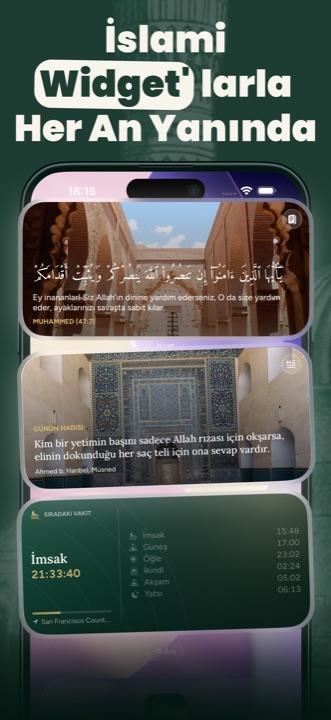
Verse, hadith, Names, prayer time and reinforcement question as widgets. Tapping opens that exact page in the app.
Twelve backgrounds
Not photographs but recipes: a combination of motif and palette, drawn by the app's own painting layer. No licensed imagery is used.
Eleven app icons
You can change the icon on your home screen.
Theme and language
Light and dark themes, eleven languages. Arabic and Urdu read right to left.
Achievements
Achievements built on consistency and volume. They appear on screen the moment they are earned.
Zakat calculation
You enter your assets and calculate your zakat obligation, then record what you have paid.
Ask a Scholar
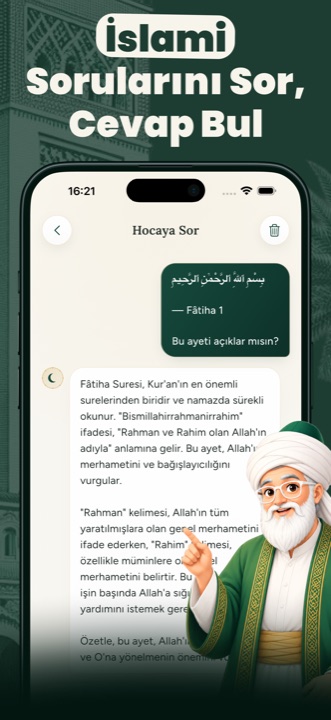
You write the question on your mind and receive an AI-assisted answer.
The zakat section is a calculator, not a source of religious rulings. The rate and nisab values follow the Diyanet announcement; for a ruling specific to your situation you need to consult a qualified scholar. The "Ask a Scholar" answers sit in the same frame: they inform, they do not issue rulings.
All in one app
A single subscription covers everything above. No ads, no extra purchases.